Testing content marketing software before committing your budget makes the difference between finding a tool that transforms your workflow and one that collects digital dust. Free trials let you evaluate features hands-on, assess team adoption, and measure real results before signing annual contracts.
This curated list covers tools offering genuine free trials—from AI-powered content creation to distribution and analytics platforms. We've prioritized software that delivers meaningful trial periods (not just 3-day teasers) so you can properly evaluate each solution against your content marketing goals.
1. Sight AI
Best for: Brands tracking AI visibility while creating SEO/GEO-optimized content at scale
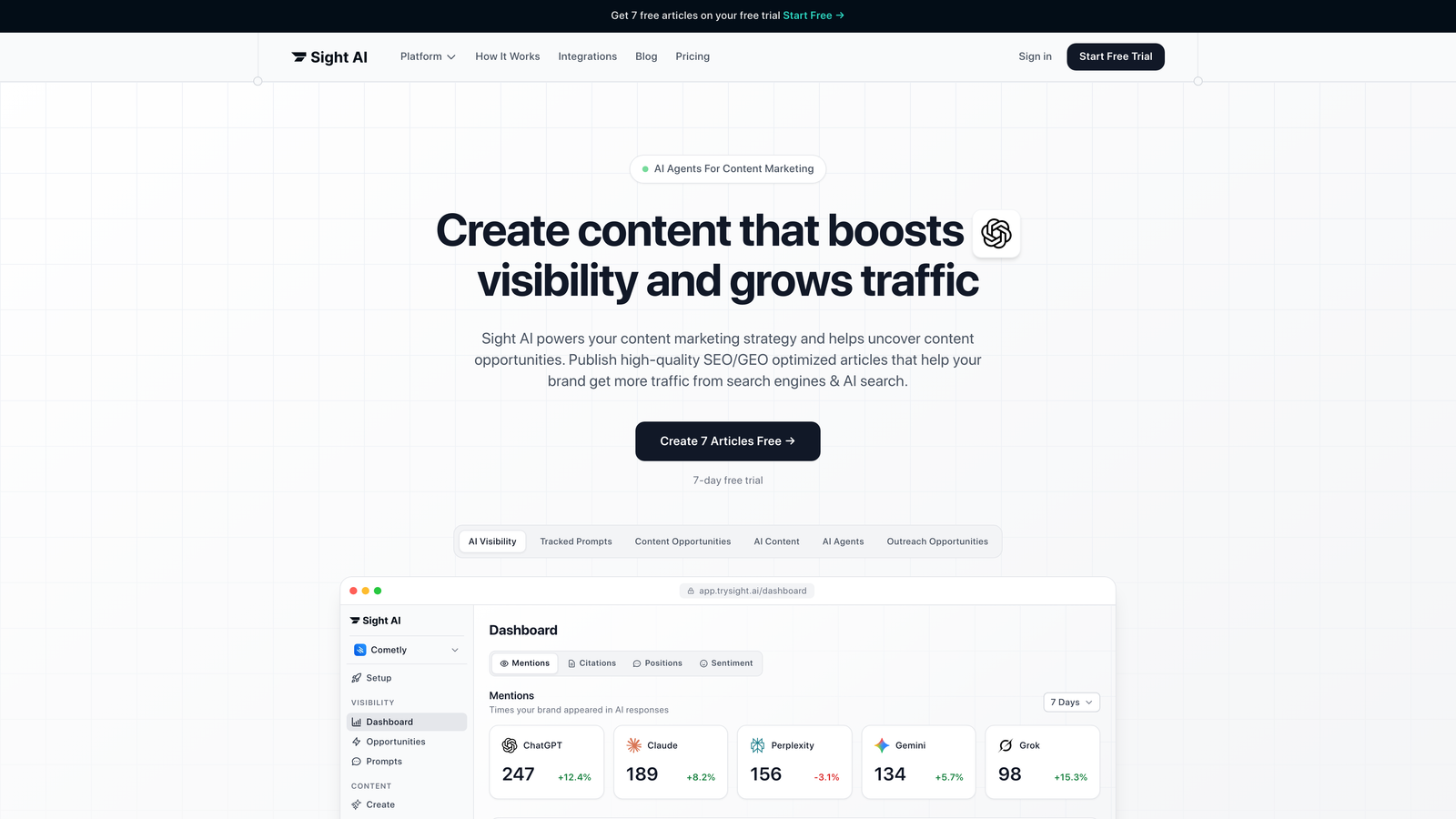
Sight AI combines content creation, AI visibility tracking, and website indexing into a unified platform for organic growth.
Where This Tool Shines
The platform addresses a critical gap in modern content marketing: understanding how AI models like ChatGPT, Claude, and Perplexity talk about your brand. While most teams focus solely on traditional search rankings, AI-generated responses increasingly influence buyer research.
Sight AI's 13+ specialized AI agents work together to generate content optimized for both traditional SEO and generative engine optimization (GEO). The Autopilot mode removes manual bottlenecks by automating content generation workflows, while IndexNow integration ensures faster content discovery by search engines.
Key Features
AI Visibility Score: Track brand mentions across 6+ AI platforms with sentiment analysis and prompt tracking to understand your AI presence.
Multi-Agent Content System: 13+ specialized AI agents collaborate to produce listicles, guides, and explainers optimized for organic visibility.
IndexNow Integration: Automatically notify search engines about new content for faster indexing and discovery.
CMS Auto-Publishing: Connect directly to your content management system for seamless publishing workflows.
Autopilot Mode: Set content generation parameters and let the system handle production automatically.
Best For
Marketing teams and agencies managing multiple content programs who need both AI visibility insights and scalable content production. Particularly valuable for brands investing in thought leadership and organic traffic strategies where understanding AI-generated recommendations matters.
Pricing
Free trial available with access to core features. Paid plans start at competitive SaaS pricing with scaling based on content volume and team size.
2. HubSpot Marketing Hub
Best for: Teams wanting integrated CRM, marketing automation, and content tools in one ecosystem
HubSpot Marketing Hub offers comprehensive marketing automation with built-in content creation, management, and analytics capabilities.

Where This Tool Shines
HubSpot's strength lies in its ecosystem approach. Your content marketing efforts connect directly to lead tracking, email campaigns, and sales pipelines. When a blog post converts a visitor, you see the entire customer journey from first click to closed deal.
The platform's free tier provides surprising functionality for teams just starting with content marketing. As you grow, the Professional tier unlocks advanced features like A/B testing, smart content personalization, and detailed attribution reporting that shows which content drives revenue.
Key Features
Integrated Blog Builder: Create and publish blog posts with built-in SEO recommendations and optimization suggestions.
Landing Page Templates: Design conversion-focused pages with drag-and-drop editing and mobile optimization.
Email Marketing Automation: Nurture leads with automated email sequences triggered by content engagement.
Social Media Management: Schedule posts, monitor engagement, and track social traffic back to content performance.
Marketing Analytics Dashboard: Unified reporting showing how content impacts leads, customers, and revenue.
Best For
Small to mid-size businesses that want content marketing tightly integrated with their CRM and sales processes. Especially valuable when your content strategy focuses on lead generation and you need clear ROI visibility.
Pricing
Free tier available with basic features. Starter plan at $20/month for entry-level automation. Professional tier offers 14-day trial with advanced content and automation features.
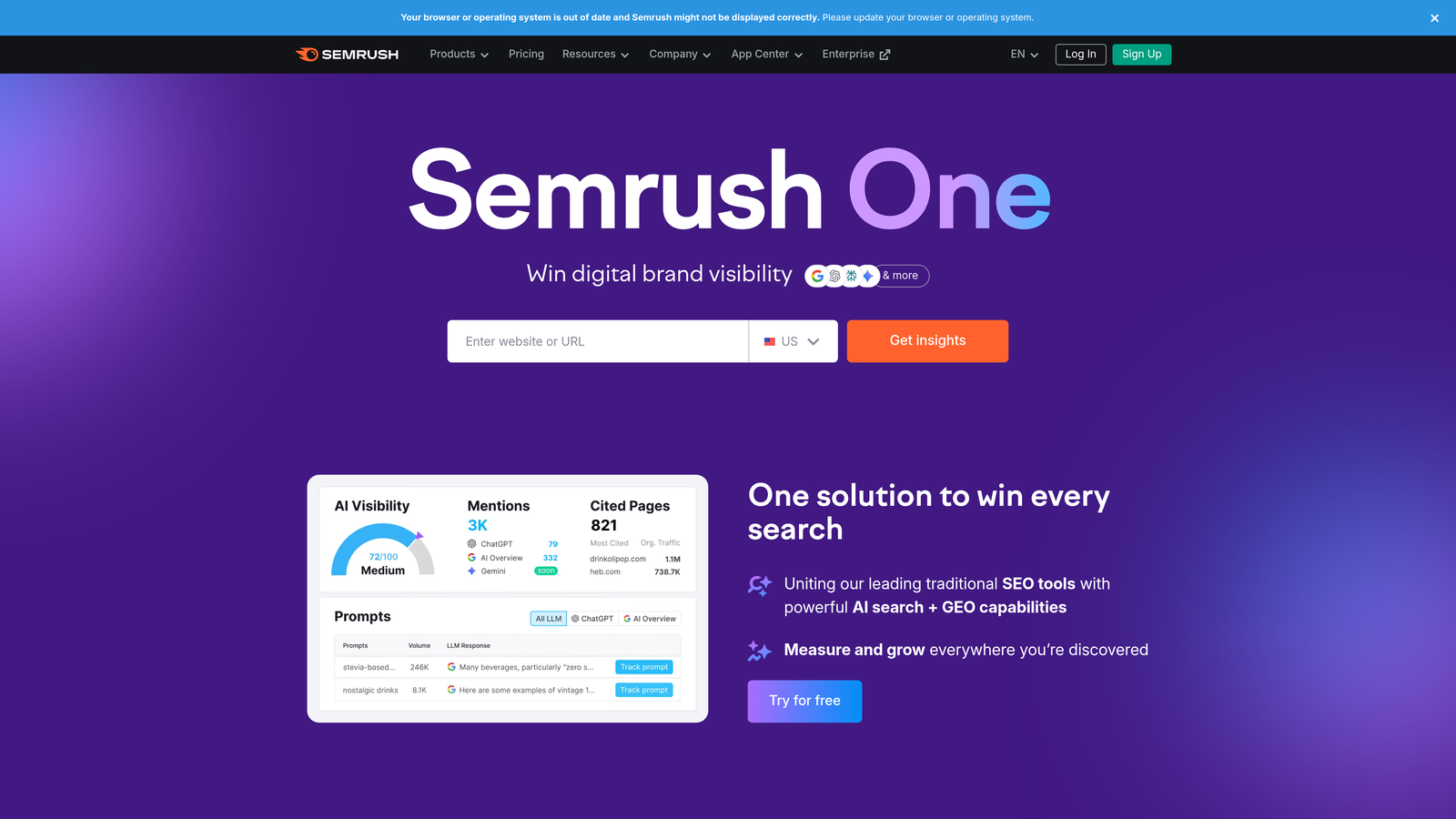
3. Semrush
Best for: SEO-focused content teams needing comprehensive keyword research and competitive intelligence
Semrush provides an extensive SEO and content marketing toolkit with deep competitive analysis and optimization capabilities.
Where This Tool Shines
Semrush excels at answering the question every content marketer faces: what should we write about next? The Topic Research tool analyzes search intent, identifies content gaps, and surfaces questions your audience actually asks.
The SEO Writing Assistant integrates directly into Google Docs and WordPress, providing real-time feedback as you write. It checks readability, keyword usage, and content originality while comparing your draft against top-ranking competitors. This immediate feedback loop helps writers produce optimized content without constant back-and-forth with SEO specialists.
Key Features
Content Marketing Toolkit: Topic research, SEO content template, and post tracking for comprehensive content planning.
Keyword Magic Tool: Access to over 25 billion keywords with search volume, difficulty scores, and intent classification.
Competitive Content Analysis: See what content drives traffic for competitors and identify gaps in your strategy.
Position Tracking: Monitor how your content ranks for target keywords with daily updates and competitor comparisons.
Content Audit: Analyze existing content performance and identify optimization opportunities across your entire site.
Best For
Content teams where SEO performance directly impacts business goals. Particularly valuable for agencies managing multiple clients or in-house teams competing in crowded search landscapes where data-driven content decisions matter.
Pricing
7-day free trial available. Pro plan at $139.95/month for individual users. Guru plan at $249.95/month adds content marketing toolkit and historical data.
4. Jasper
Best for: Teams scaling content production with AI while maintaining consistent brand voice
Jasper leverages AI to generate marketing copy, long-form content, and creative assets with brand voice customization.

Where This Tool Shines
Jasper's brand voice feature solves a common AI content challenge: maintaining consistency across team members and content types. You train the system on your existing content, and it learns your tone, terminology, and style preferences. The result feels like content written by someone who deeply understands your brand.
The long-form document editor provides a middle ground between raw AI generation and manual writing. You outline your structure, and Jasper fills in sections while you edit and refine. This collaborative approach produces content faster than writing from scratch while maintaining quality control that pure automation lacks.
Key Features
50+ Content Templates: Pre-built frameworks for blog posts, social media, ads, emails, and product descriptions.
Brand Voice Training: Upload existing content to teach Jasper your specific tone, style, and terminology preferences.
Boss Mode Editor: Long-form document workspace with commands for generating, expanding, or rewriting specific sections.
Chrome Extension: Generate content directly in Gmail, Google Docs, WordPress, and other web applications.
Team Collaboration: Share templates, brand voices, and content workflows across your marketing team.
Best For
Marketing teams producing high volumes of content across multiple channels who need AI assistance without sacrificing brand consistency. Works well for agencies managing distinct brand voices for different clients.
Pricing
7-day free trial with full feature access. Creator plan at $49/month for individual users. Pro plan at $69/month adds brand voice and team features.
5. CoSchedule
Best for: Marketing teams coordinating content across multiple channels and team members
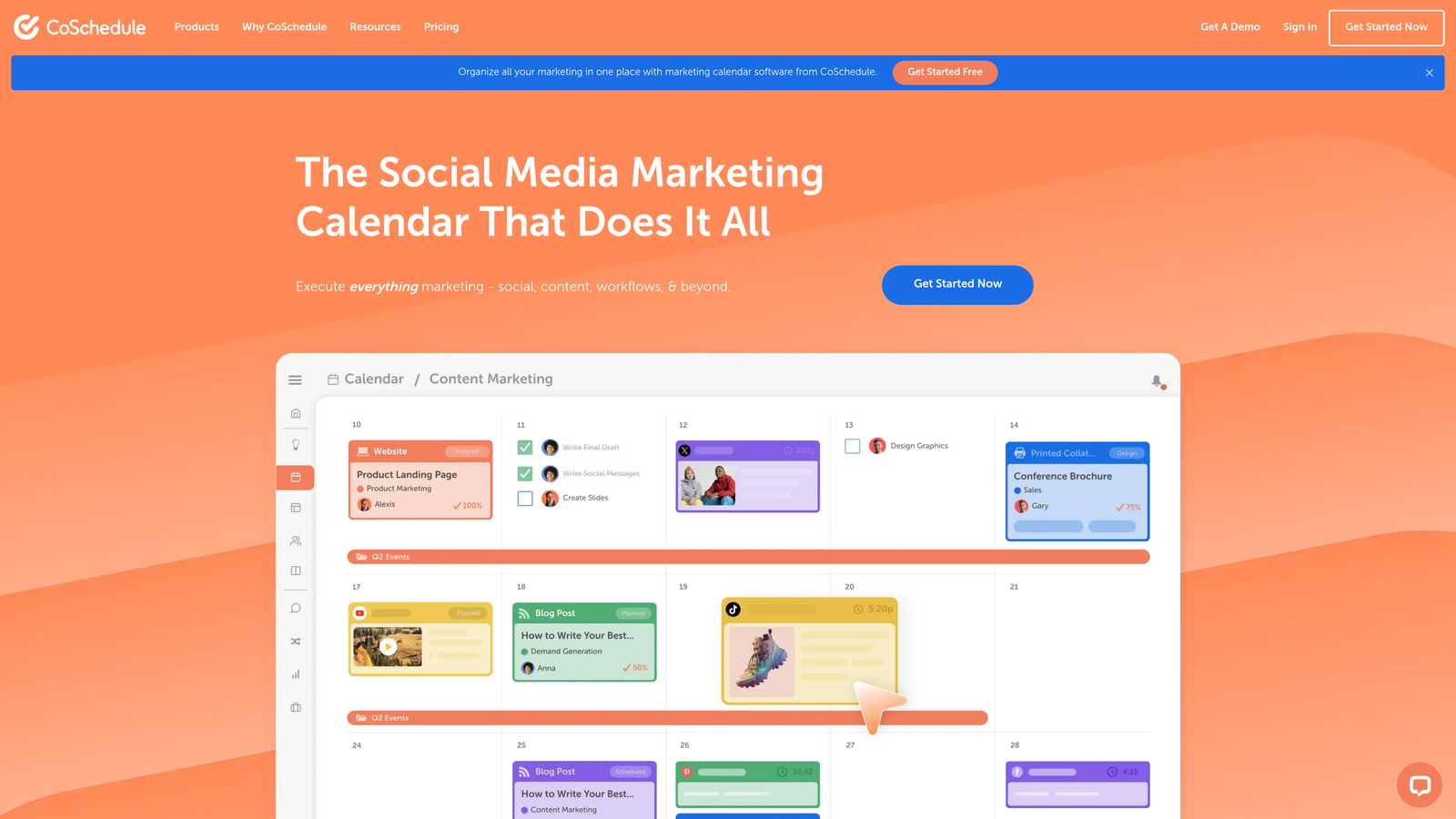
CoSchedule provides a unified marketing calendar and workflow management system designed specifically for content teams.
Where This Tool Shines
CoSchedule transforms chaotic content planning into visual clarity. The drag-and-drop calendar shows every piece of content, social post, and campaign in one view. When launch dates shift or priorities change, you see immediately how it impacts your entire content schedule.
The ReQueue feature solves the social media recycling problem elegantly. Instead of manually resharing evergreen content, you set rules and ReQueue automatically fills gaps in your social calendar with your best-performing posts. This keeps your social presence active without constant manual scheduling.
Key Features
Unified Marketing Calendar: Visualize all content, campaigns, and social posts in a single drag-and-drop interface.
Social Media Scheduling: Plan and publish to multiple social platforms with bulk scheduling and best time optimization.
Headline Analyzer: Score headline effectiveness based on word balance, length, sentiment, and keywords before publishing.
Team Workflow Management: Assign tasks, set deadlines, and track project progress with built-in collaboration tools.
ReQueue Automation: Automatically fill social media schedule gaps with your best-performing evergreen content.
Best For
Content teams of 3-15 people managing multiple content types and distribution channels. Especially valuable when coordination and visibility across team members becomes a bottleneck in your content production.
Pricing
14-day free trial available. Marketing Calendar free version for basic scheduling. Marketing Suite requires custom pricing based on team size and features needed.
6. Clearscope
Best for: Content teams optimizing articles for search rankings with data-driven recommendations
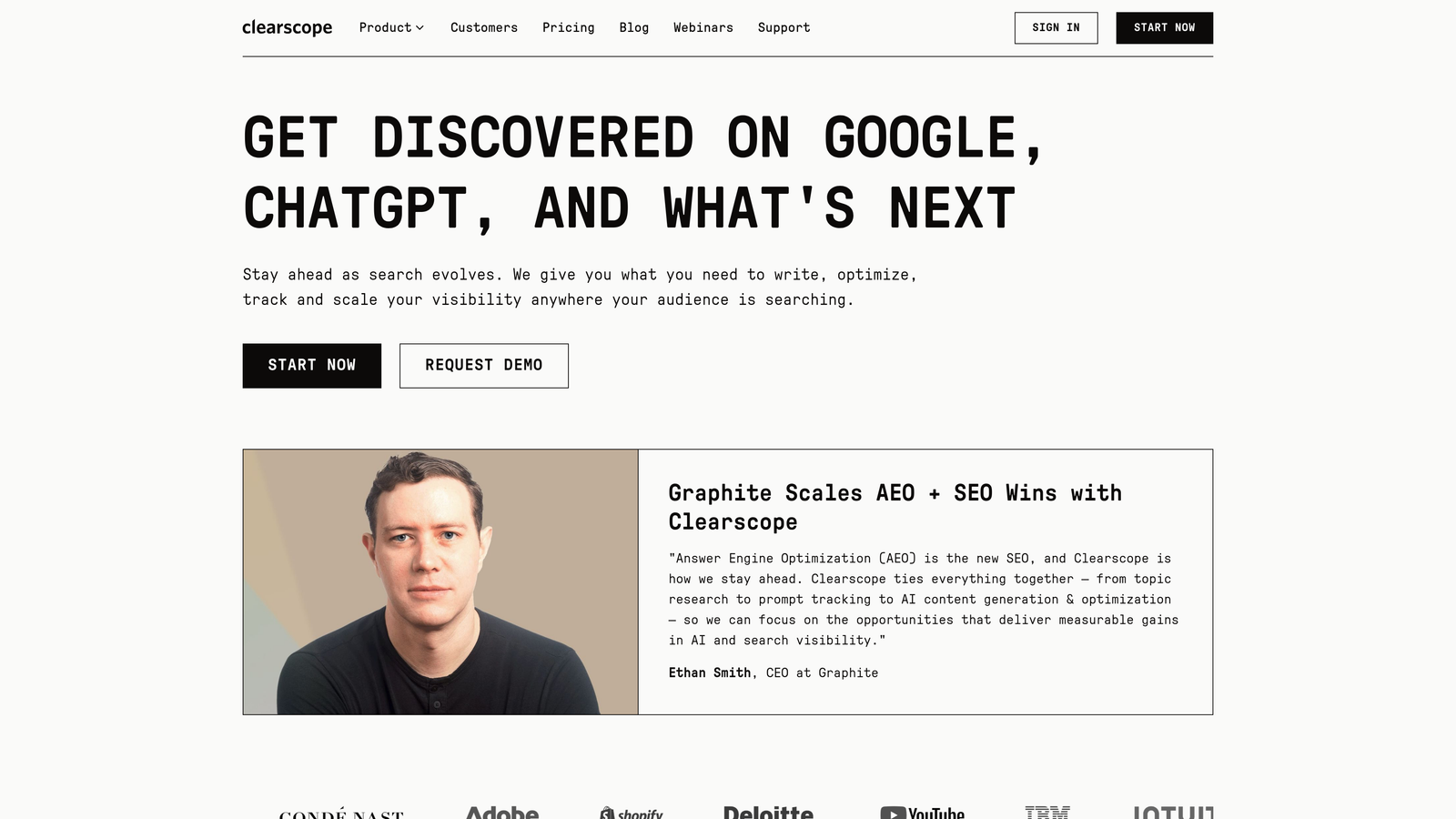
Clearscope uses AI to analyze top-ranking content and provide specific optimization recommendations for better search performance.
Where This Tool Shines
Clearscope removes guesswork from content optimization. You enter your target keyword, and it analyzes the top 30 ranking pages to identify patterns in content structure, topics covered, and terms used. The real-time grading system shows exactly how your draft compares to ranking competitors.
The Google Docs and WordPress integrations mean writers get optimization feedback while drafting, not after. The content grade updates live as you write, showing when you've covered topics thoroughly and when you're over-optimizing. This immediate feedback helps writers produce SEO-friendly content without sacrificing readability or natural flow.
Key Features
Real-Time Content Grading: Score your content against top-ranking competitors with specific improvement recommendations.
Topic and Term Suggestions: Identify relevant concepts and keywords to include based on analysis of ranking content.
Google Docs Integration: Get optimization feedback directly in your writing environment without switching tools.
WordPress Plugin: Optimize content within your CMS before publishing with live grading and suggestions.
Content Inventory Tracking: Monitor optimization scores across your entire content library and identify refresh opportunities.
Best For
Content teams where search rankings directly impact business results and you need data-driven optimization without relying on SEO specialists to review every piece. Works best when producing competitive content in established search categories.
Pricing
Demo required for trial access. Essentials plan starts at $189/month per user with optimization reports and integrations included.
7. Contently
Best for: Enterprise teams managing freelance networks and large-scale content operations
Contently provides an enterprise content marketing platform with integrated talent marketplace and performance analytics.
Where This Tool Shines
Contently excels at solving the enterprise content challenge: coordinating dozens of freelance writers, multiple approval layers, and brand consistency across high content volumes. The platform combines project management, talent sourcing, and quality control in one system.
The freelance marketplace connects you with vetted writers, designers, and videographers who've passed Contently's screening process. You see portfolios, rates, and availability without managing separate contractor relationships. The platform handles contracts, payments, and revisions through a unified workflow that scales from 10 to 100+ pieces monthly.
Key Features
Content Strategy Tools: Plan campaigns, map customer journeys, and align content to business objectives with strategic frameworks.
Freelance Talent Marketplace: Access vetted writers, designers, and creators with portfolio reviews and integrated hiring.
Workflow Management: Multi-stage approval processes with version control, feedback loops, and deadline tracking.
Performance Analytics: Track content ROI with engagement metrics, conversion attribution, and business impact reporting.
Brand Guidelines Enforcement: Maintain consistency with style guides, tone documentation, and automated quality checks.
Best For
Enterprise marketing teams producing 50+ pieces of content monthly with freelance networks and complex approval workflows. The investment makes sense when content operations become too complex for basic project management tools.
Pricing
Custom trial available for qualified enterprise teams. Pricing based on content volume, team size, and feature requirements with annual contracts typical.
8. Sprout Social
Best for: Teams prioritizing social media distribution and engagement alongside content creation
Sprout Social offers comprehensive social media management with publishing, analytics, and listening capabilities across major platforms.
Where This Tool Shines
Sprout Social's unified inbox transforms social media management from platform-hopping chaos into streamlined engagement. Every comment, mention, and message across Facebook, Twitter, LinkedIn, and Instagram appears in one feed. You respond without switching tabs, and the system tracks response times and engagement metrics automatically.
The social listening features go beyond basic mentions. You track industry keywords, competitor activity, and trending topics relevant to your content strategy. These insights inform what content to create next based on actual conversations happening in your target audience, not just keyword research data.
Key Features
Multi-Platform Publishing: Schedule and publish content across Facebook, Twitter, LinkedIn, Instagram, and Pinterest from one interface.
Social Listening: Monitor brand mentions, industry keywords, and competitor activity with sentiment analysis and trend identification.
Unified Inbox: Manage all social messages, comments, and mentions in one feed with team assignment and response tracking.
Analytics and Reporting: Track engagement, reach, and conversion metrics with customizable reports and competitive benchmarking.
Team Collaboration: Assign tasks, approve content, and manage permissions with role-based access and approval workflows.
Best For
Marketing teams where social media represents a primary content distribution channel and community engagement directly impacts brand perception. The investment makes sense when managing multiple social accounts becomes too time-consuming with native platform tools.
Pricing
30-day free trial with full feature access. Standard plan at $199 per seat per month. Professional and Advanced tiers available with additional features and social profiles.
9. Notion
Best for: Teams wanting flexible content planning and documentation in a customizable workspace
Notion provides an all-in-one workspace for content databases, editorial calendars, team wikis, and collaborative documentation.
Where This Tool Shines
Notion's flexibility lets content teams build exactly the workflow they need. You're not locked into predetermined templates or rigid structures. Create custom content databases with fields tracking status, assigned writers, target keywords, word count, and publish dates—then view that data as a calendar, kanban board, table, or gallery.
The AI writing assistant helps overcome blank page syndrome. It can draft outlines, expand bullet points into paragraphs, or summarize long documents. While not as specialized as dedicated AI content tools, it provides helpful writing assistance within your planning workspace without switching applications.
Key Features
Customizable Content Databases: Build content libraries with custom fields, filters, and multiple view types for different team needs.
Editorial Calendar Templates: Pre-built content planning frameworks you can customize to match your workflow and publishing schedule.
Team Wikis: Create centralized documentation for brand guidelines, style guides, and process documentation.
AI Writing Assistant: Generate drafts, expand ideas, and summarize content with built-in AI capabilities.
Third-Party Integrations: Connect to Slack, Google Drive, Figma, and other tools your content team already uses.
Best For
Content teams that value flexibility over specialized features and want one workspace for planning, documentation, and collaboration. Works especially well for remote teams needing centralized knowledge bases alongside content calendars.
Pricing
Free for individuals with unlimited pages and blocks. Plus plan at $10 per user per month for teams. Team trials available to test collaboration features before committing.
10. Monday.com
Best for: Content teams needing visual project management with automation and workload balancing
Monday.com offers a work operating system with customizable workflows, automation recipes, and visual project tracking for content operations.
Where This Tool Shines
Monday.com transforms content workflows into visual boards that everyone understands immediately. Color-coded status columns show which pieces are in research, drafting, editing, or published stages. Team members update status with a click, and the entire team sees progress in real-time without status meetings.
The automation recipes eliminate repetitive tasks that slow content production. When a writer marks an article "Ready for Edit," the system automatically assigns it to an editor, sets a due date, and sends a notification. These small automations compound across dozens of content pieces monthly, freeing time for actual creation instead of administrative coordination.
Key Features
Visual Content Workflows: Customizable boards with color-coded status tracking and drag-and-drop task management.
Automation Recipes: Pre-built and custom automations for task assignment, deadline reminders, and status updates.
Time Tracking: Log hours spent on content projects with workload views showing team capacity and bottlenecks.
File Proofing: Review and approve content drafts directly in the platform with annotation and version control.
200+ Integrations: Connect to Google Drive, Slack, Dropbox, and other tools your content team relies on daily.
Best For
Content teams of 5-25 people managing complex workflows with multiple content types, approval stages, and cross-functional dependencies. Particularly valuable when visibility into workload and project status becomes critical for meeting deadlines.
Pricing
14-day free trial with full feature access. Basic plan at $12 per seat per month for core features. Standard and Pro tiers add automation and advanced integrations.
11. Loomly
Best for: Small teams focused on social media content with streamlined approval workflows
Loomly provides social media management with emphasis on content creation, approval processes, and post inspiration.
Where This Tool Shines
Loomly solves the "what should we post today" problem with its post ideas feature. The system surfaces trending topics, relevant hashtags, and content inspiration based on your industry and audience. This daily feed of ideas keeps your social calendar full without constant brainstorming sessions.
The approval workflows accommodate teams where social content needs sign-off before publishing. You create posts, submit for review, and stakeholders approve or request changes—all within the platform. This structured process prevents the "who approved this post" confusion that happens when using spreadsheets or email for social planning.
Key Features
Post Ideas and Inspiration: Daily content suggestions based on trending topics, holidays, and industry-relevant events.
Content Calendar: Visual scheduling across Facebook, Twitter, Instagram, LinkedIn, Pinterest, and Google Business Profile.
Approval Workflows: Multi-level review processes with comment threads and revision tracking before publishing.
Asset Library: Centralized storage for images, videos, and brand assets with tagging and search capabilities.
Analytics and Reporting: Track post performance, engagement rates, and audience growth with exportable reports.
Best For
Small marketing teams of 2-10 people managing social media content who need approval workflows without enterprise complexity. Works well for agencies managing multiple client social accounts from one platform.
Pricing
15-day free trial available. Base plan at $42 per month for 2 users and 10 social accounts. Standard, Advanced, and Premium tiers scale with team size and account limits.
Matching Your Needs to the Right Trial
The content marketing software you choose shapes how your team works daily. Free trials let you test real workflows before committing budgets, but you need a systematic evaluation approach to make trials productive.
Start by defining what success looks like. If you're drowning in manual tasks, prioritize tools with strong automation capabilities like Monday.com or CoSchedule. If content quality inconsistency plagues your team, focus on optimization tools like Clearscope or AI assistants like Jasper that enforce standards. When coordination across team members creates bottlenecks, project management features in Monday.com or Notion become critical.
Test with real projects, not hypothetical scenarios. Assign actual upcoming content pieces to trial workflows. Involve team members who'll use the tool daily—their adoption determines whether software delivers value or becomes shelfware. Establish measurement criteria before starting: time saved per piece, content quality improvements, or team satisfaction scores.
Consider your tech stack integration needs. Tools that work in isolation create data silos and force context switching. Look for platforms that connect to your existing CMS, CRM, and communication tools. The best software amplifies your current workflow rather than requiring you to rebuild processes around new tools.
The emerging category of AI visibility tracking represents a strategic advantage many teams overlook. While traditional analytics show how people find your content through search, AI visibility reveals how ChatGPT, Claude, and Perplexity reference your brand in generated responses. As AI-powered search grows, understanding this visibility becomes as important as traditional SEO metrics.
Stop guessing how AI models like ChatGPT and Claude talk about your brand—get visibility into every mention, track content opportunities, and automate your path to organic traffic growth. Start tracking your AI visibility today and see exactly where your brand appears across top AI platforms.