The best sitemap generator for Google depends on your stack. On WordPress, Rank Math or Yoast SEO generate and update XML sitemaps automatically for free. For large or custom sites, Screaming Frog builds crawl-verified sitemaps, and for content teams Sight AI updates sitemaps the moment an article publishes. Google mainly cares that the sitemap lists only canonical, indexable URLs with accurate lastmod dates, so choose the tool that keeps those clean without manual work.
Manual sitemap management becomes unsustainable as your site grows, especially if you publish content at scale. Without an up-to-date XML sitemap, crawlers may miss new pages, overlook updates, or waste crawl budget on outdated URLs. The tools below create and update sitemaps whenever your site changes. They are aimed at marketers, founders, and agencies who need reliable automation without the technical overhead.
What Google actually needs from a sitemap
Several features that sitemap tools advertise no longer matter to Google. Judge each tool against what Google documents:
- Canonical, indexable URLs only: Exclude redirects, 404s, noindex pages, and parameter duplicates. A sitemap full of non-canonical URLs teaches Google to trust it less.
- Accurate
lastmod: Google useslastmodwhen it is consistently accurate. It ignorespriorityandchangefreq. - Size limits: Each sitemap file can hold up to 50,000 URLs or 50 MB uncompressed. Larger sites need a sitemap index file, which good tools split automatically.
- Discovery via Search Console and robots.txt: Google retired its sitemap ping endpoint in 2023. Submit the sitemap in Search Console and reference it in robots.txt with a
Sitemap:line. - IndexNow is for Bing and others: IndexNow speeds up discovery on Bing, Yandex, Seznam, and Naver. Google does not currently use it, but it remains worth enabling.
Before submitting any generated file, run it through a free XML sitemap validator to catch malformed XML, wrong namespaces, and non-200 URLs.
Quick comparison
| Tool | Type | Auto-updates | Free option | Best for |
|---|---|---|---|---|
| Sight AI | SaaS platform | Yes, on publish | See pricing | Content teams publishing at scale |
| Yoast SEO | WordPress plugin | Yes | Yes | Simple WordPress sites |
| Screaming Frog | Desktop crawler | Via scheduled crawls (paid) | Up to 500 URLs | Large and custom sites |
| XML-Sitemaps.com | Online generator | Paid plans | Up to 500 pages | One-off small sites |
| Rank Math | WordPress plugin | Yes, plus IndexNow | Yes | Feature-rich WordPress sites |
| Slickplan | Visual planner | No | Trial | Redesign planning |
| Sitebulb | Desktop/cloud crawler | Via scheduled crawls | Trial | Agency audits |
| Dynomapper | Visual sitemap SaaS | Scheduled crawls | Trial | Enterprise governance |
| A1 Sitemap Generator | Desktop app | Scheduled generation | Trial | One-time purchase buyers |
1. Sight AI
Best for: Teams publishing AI-optimized content who need automatic indexing tied to their publishing workflow.
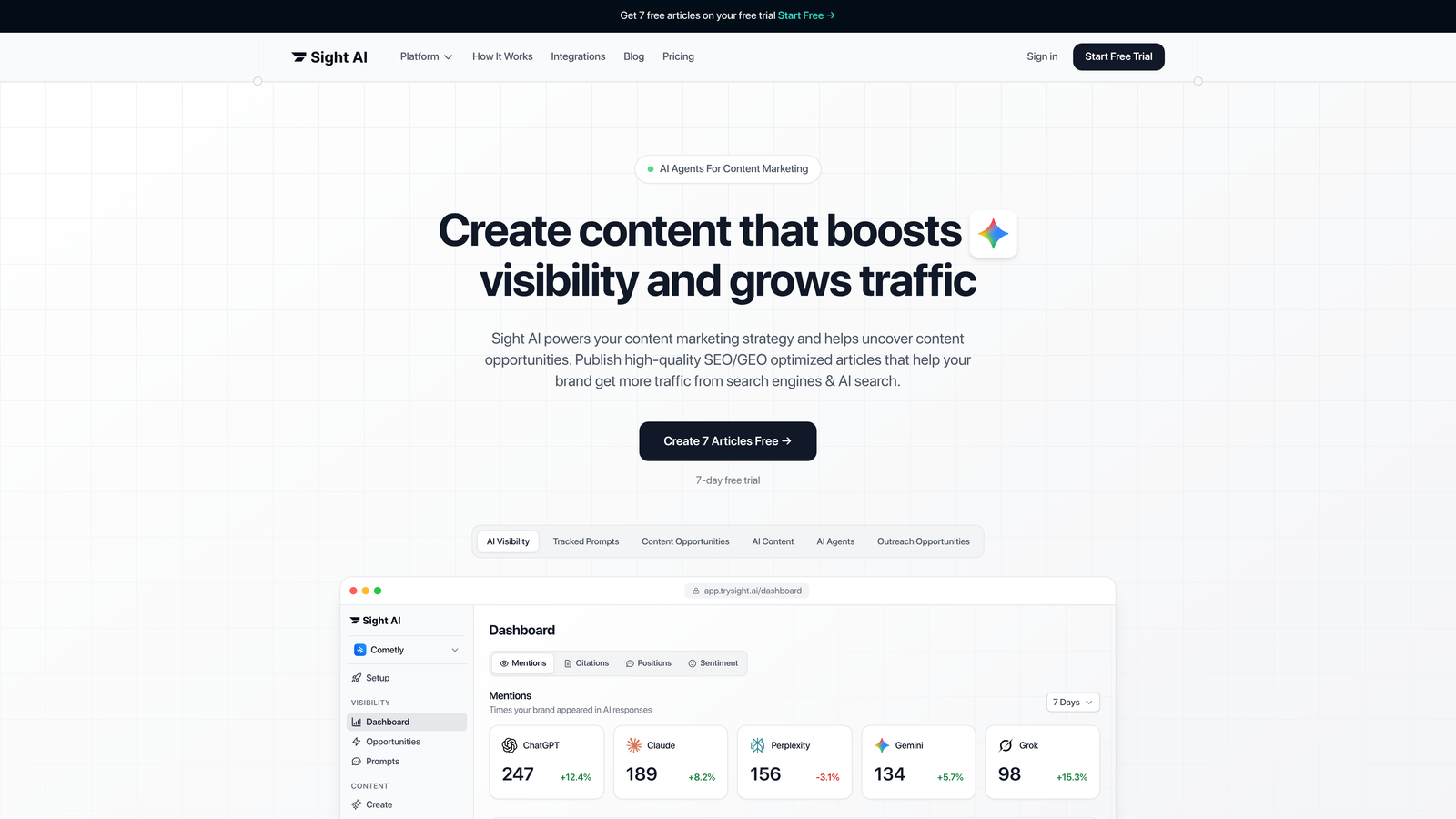
Sight AI is an AI-powered platform that combines content generation with automatic sitemap updates and IndexNow integration for faster search engine discovery.
Where This Tool Shines
Sight AI connects sitemap generation directly to your content creation workflow. When you publish AI-optimized articles through the platform, it updates your sitemap and notifies IndexNow-enabled search engines automatically.
Because the sitemap updates as part of publishing, there is no gap between going live and notifying search engines. You do not manage sitemaps as a separate task. The Sight AI indexing feature handles sitemap refreshes and IndexNow submissions in the background.
Key Features
Automatic Sitemap Updates: Sitemaps refresh instantly when new content publishes through the platform.
IndexNow Integration: Bing and other IndexNow engines receive immediate notification of new URLs, reducing crawl delay.
Workflow Integration: Sitemap management runs automatically inside your AI content generation workflow.
CMS Auto-Publishing: Content publishes directly to your CMS while sitemap updates are handled in the background.
AI Visibility Tracking: Monitor how AI models reference your content alongside traditional search performance.
Best For
Marketing teams and agencies that publish high volumes of SEO-optimized content and want to eliminate manual sitemap tasks. It is particularly valuable if you care about both traditional search and AI visibility.
Pricing
Visit the Sight AI pricing page for current plan details and feature breakdowns.
2. Yoast SEO
Best for: WordPress users who want automatic sitemap generation without touching code or configuration files.
Yoast SEO is the most popular WordPress SEO plugin, with built-in automatic XML sitemap generation and management.

Where This Tool Shines
Yoast dominates the WordPress ecosystem for good reason. As soon as you activate the plugin, it generates a sitemap index at /sitemap_index.xml. It then keeps that sitemap updated automatically as you publish, edit, or delete content.
The interface makes it simple to control which post types and taxonomies appear in your sitemap. Pages set to noindex are excluded automatically, which keeps the sitemap aligned with what Google should index. You do not need to edit XML, use FTP, or have technical knowledge.
Key Features
Automatic XML Sitemap Creation: Generates and maintains a sitemap index without manual intervention.
Content Type Controls: Choose exactly which post types, pages, and taxonomies appear in your sitemap.
Accurate lastmod Dates: Last-modified dates update when content changes, which is the signal Google actually uses.
Image Inclusion: Adds images attached to posts to the sitemap so visual content can be discovered.
User-Friendly Interface: Toggle sitemap settings from the WordPress dashboard without editing code.
Best For
Small to medium WordPress sites, bloggers, and marketers who want reliable sitemap automation as part of a broader SEO toolkit. It is ideal if you already manage SEO through WordPress.
Pricing
The free version includes sitemap functionality. Premium costs roughly $99 or more per year and adds extra SEO features.
3. Screaming Frog SEO Spider
Best for: Technical SEOs managing large sites who need granular control over sitemap structure and filtering.
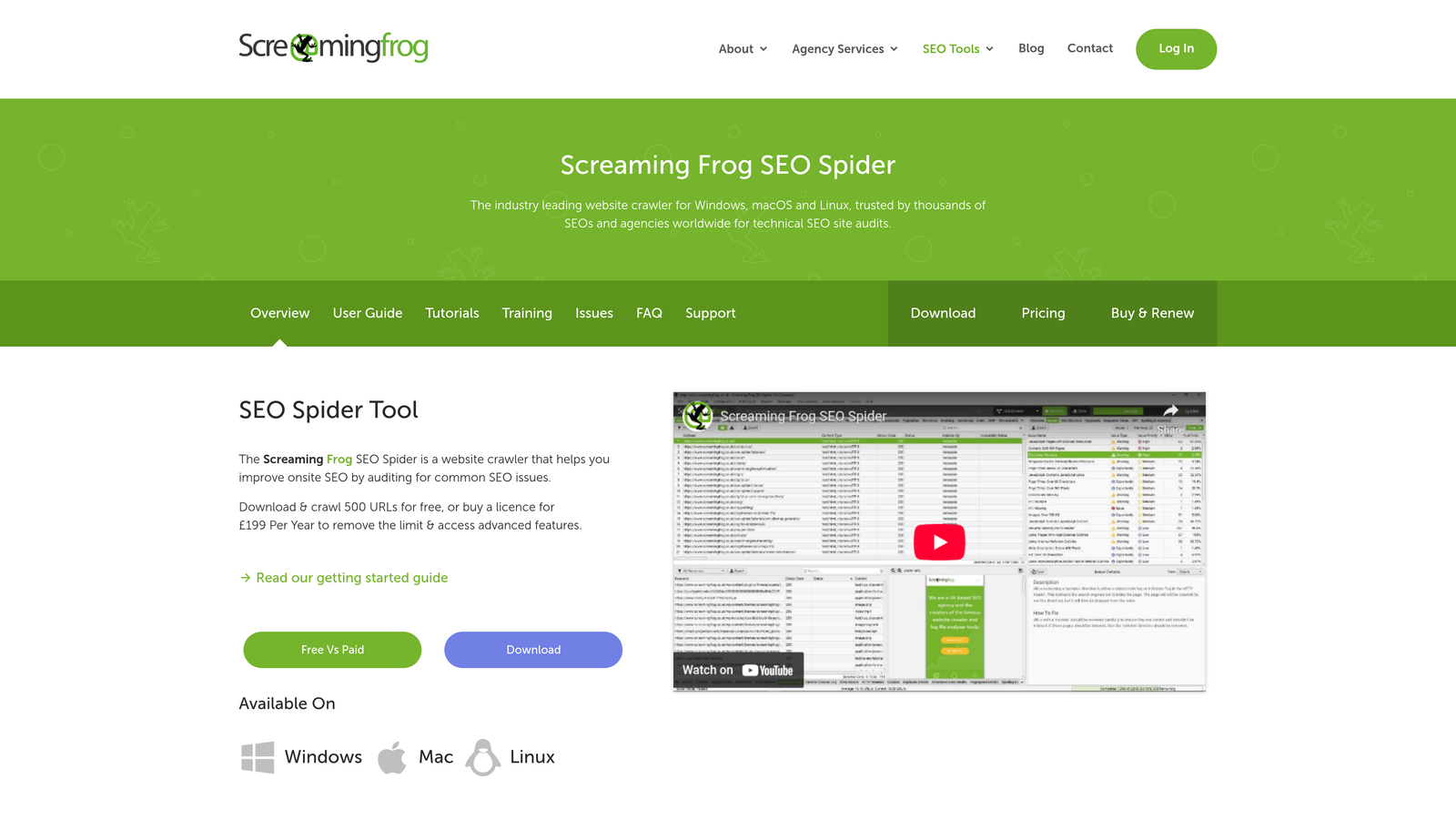
Screaming Frog SEO Spider is a desktop crawler that generates sitemaps from comprehensive site crawls, with advanced filtering options.
Where This Tool Shines
Screaming Frog gives you complete control over which URLs make it into your sitemap. You run a full crawl and filter by response code, indexability, canonical status, or custom rules. Then you export a tailored sitemap. By default it only includes 200-status, indexable, canonical URLs, which is exactly what Google wants.
The application handles very large sites when configured with database storage mode. It also splits output into multiple files with a sitemap index once you pass the 50,000-URL limit. With a paid license you can schedule crawls and sitemap exports, which turns it into a practical automatic sitemap generator for custom-built sites.
Key Features
Crawl-Based Generation: Creates sitemaps from actual site crawls, so every listed URL is verified.
Advanced URL Filtering: Apply complex filters to include or exclude specific URL patterns.
Large Site Support: Handles sites with millions of URLs in database storage mode.
Image Sitemap Generation: Separate image sitemaps help visual content get discovered.
Priority and Frequency Controls: Lets you set priority and change-frequency values. Note that Google ignores both fields, so lastmod accuracy matters more.
Best For
Technical SEO professionals, agencies managing enterprise clients, and anyone dealing with complex site architectures or migration projects. It is close to essential for sites above 100,000 URLs.
Pricing
Free for crawls up to 500 URLs. A paid license costs about £199 per year and unlocks unlimited crawling and scheduling.
4. XML-Sitemaps.com
Best for: Quick sitemap generation on small sites without installing software or plugins.
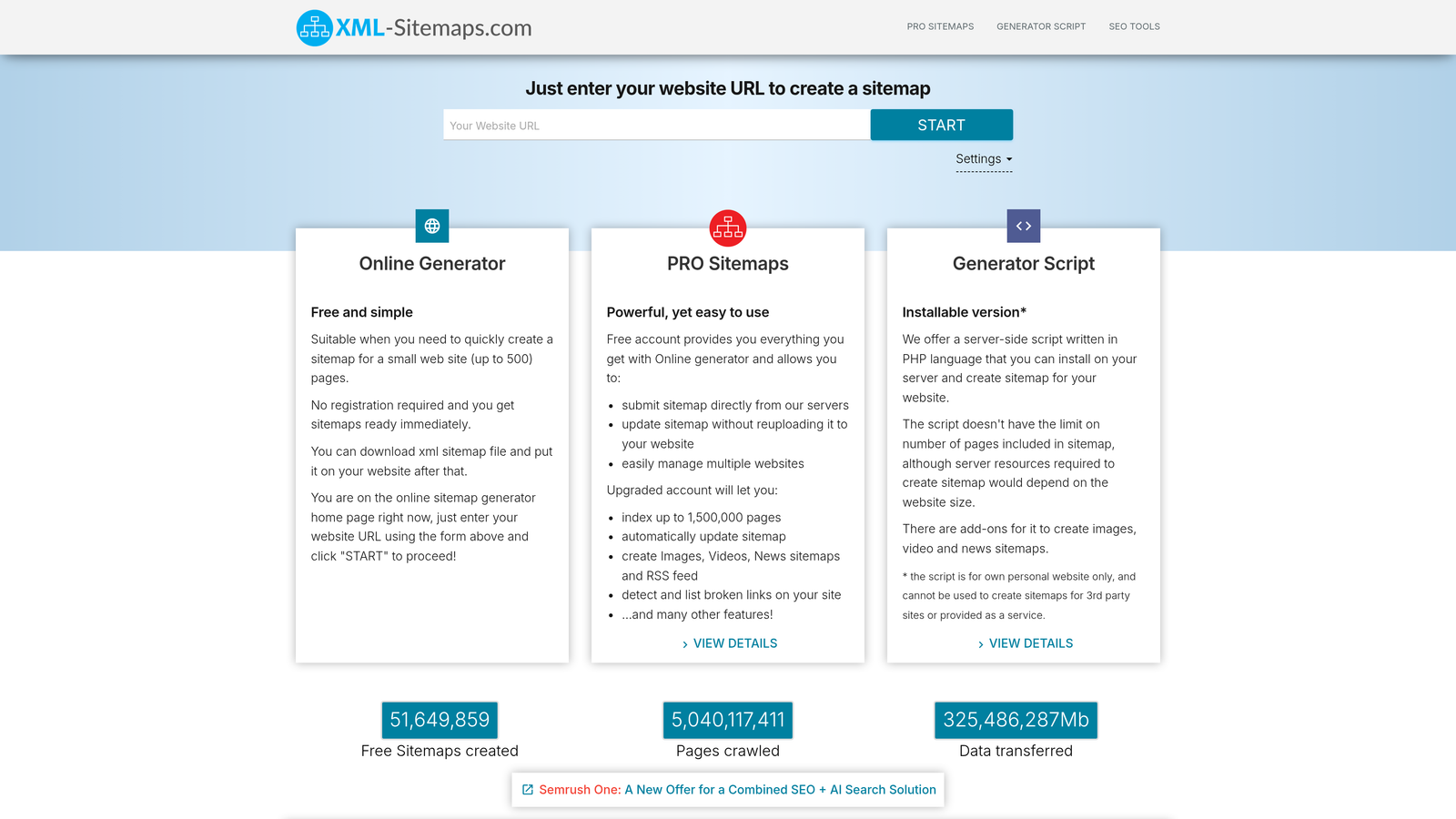
XML-Sitemaps.com is a free online sitemap generator for creating XML sitemaps without installing software.
Where This Tool Shines
Sometimes you just need a sitemap fast. XML-Sitemaps.com delivers exactly that: you enter your URL, let it crawl, and download your sitemap. There is no installation and very little complexity.
The service works well for static sites, small business websites, or a one-time sitemap. The trade-off is that the free file is a snapshot. You must regenerate and re-upload it whenever pages change, unless you pay for hosted auto-updating plans. The HTML sitemap option is a nice bonus for user navigation.
Key Features
No Installation Required: Generate sitemaps directly in your browser.
Free Tier: Creates sitemaps for sites up to 500 pages at no cost.
HTML Sitemap Option: Generates human-readable sitemaps for site navigation.
Simple Interface: Enter a URL, configure basic options, and download the sitemap in minutes.
Best For
Small business websites, freelancers managing client sites, or anyone needing occasional sitemap generation without recurring costs. If you want a similar free option, the Sight AI free sitemap generator builds an XML sitemap from your URLs in the browser.
Pricing
Free for sites up to 500 pages. Pro plans are available for larger sites and automatic updates.
5. Rank Math
Best for: WordPress users who want IndexNow support and advanced sitemap features in a free plugin.
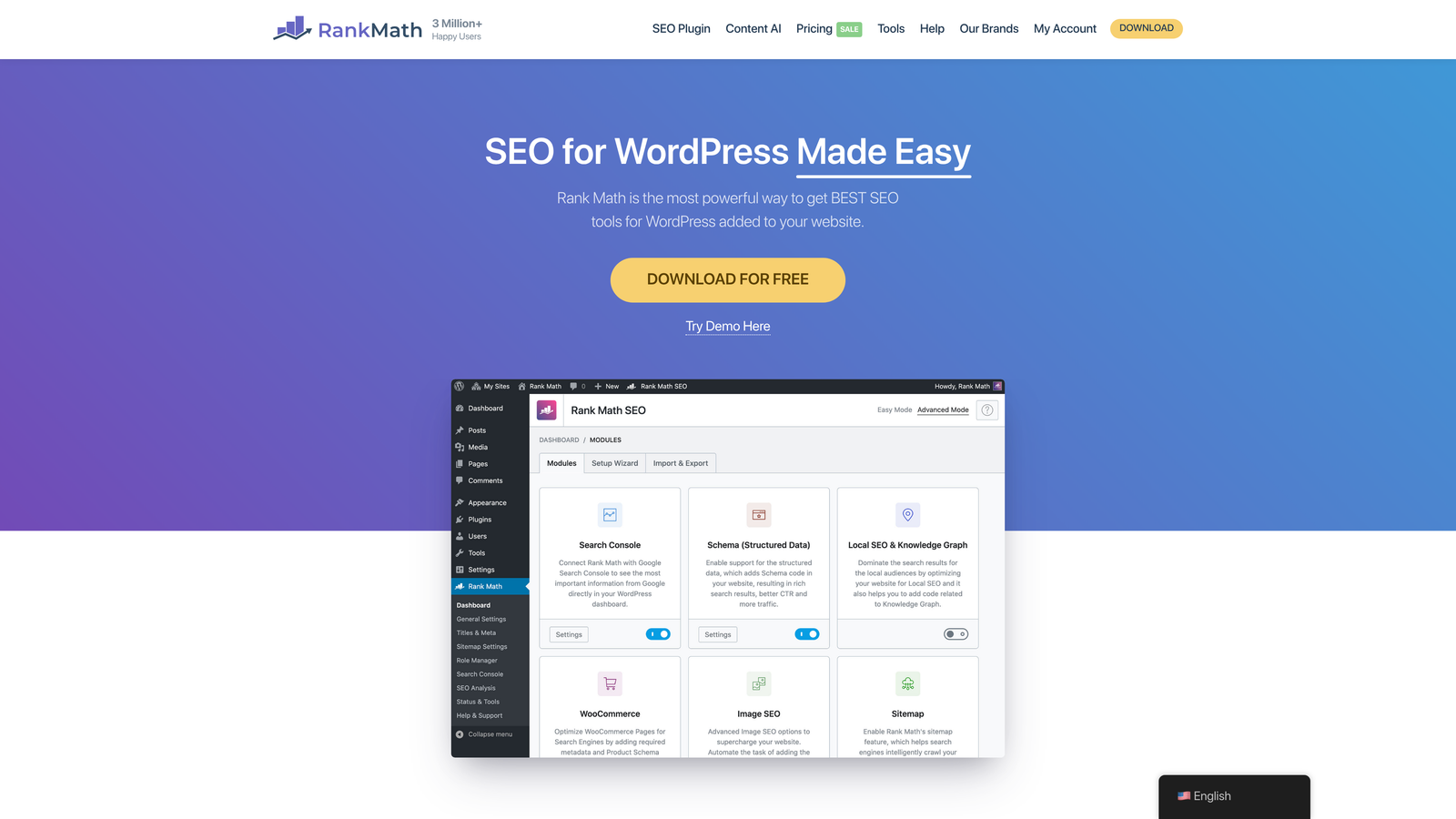
Rank Math is a feature-rich WordPress SEO plugin with automatic sitemap generation and IndexNow support in the free tier.
Where This Tool Shines
Rank Math delivers premium-level features without the premium price. The free version includes IndexNow integration, so new and updated URLs are pushed to Bing and other supporting search engines immediately.
Its controls are very granular. You can exclude specific posts and set per-post sitemap inclusion. Pro adds video and news sitemaps. Everything is managed through a clean WordPress interface.
Key Features
Automatic XML Sitemap: Generates and updates sitemaps automatically, with extensive customization options.
Image and Video Sitemaps: Images are included in the free version. Video sitemaps help multimedia content get indexed properly.
Built-in IndexNow: The free tier includes IndexNow integration for instant notification to supporting search engines.
News Sitemap: Publishers can generate Google News-compatible sitemaps.
Granular Controls: Exclude URLs and customize sitemap settings at the post level.
Best For
WordPress publishers and content-heavy sites that need advanced sitemap features without paying for premium plugins. It is particularly valuable for sites publishing news, video, or image-heavy content.
Pricing
The free version includes sitemap features. Pro starts at around $59 per year and adds more SEO tools.
6. Slickplan
Best for: Visual planning of site structure during redesigns, with XML export capability.
Slickplan is a visual sitemap planning tool with XML export, ideal for site redesigns and collaborative planning.

Where This Tool Shines
Slickplan approaches sitemaps from a planning perspective. Instead of crawling an existing site, you build your ideal site structure visually with drag-and-drop, then export it as an XML sitemap.
This makes it invaluable during redesigns, migrations, or new site launches. Teams can plan architecture together and generate technical sitemaps from the approved structure. It is not an automatic generator for a live site, so pair it with a CMS plugin or crawler after launch.
Key Features
Drag-and-Drop Builder: Create site structure visually without touching XML code.
XML Sitemap Export: Convert visual plans into properly formatted XML sitemaps.
Team Collaboration: Multiple users can plan and edit site structure together.
Content Planning Integration: Link sitemap nodes to content briefs and planning documents.
Version History: Track changes to site structure over time.
Best For
Agencies managing site redesigns, UX designers planning information architecture, and teams who need collaborative structure planning before technical implementation.
Pricing
Plans start at around $9.99 per month, with more features on team and agency tiers.
7. Sitebulb
Best for: Agencies providing technical SEO audits who need audit-driven sitemap generation.
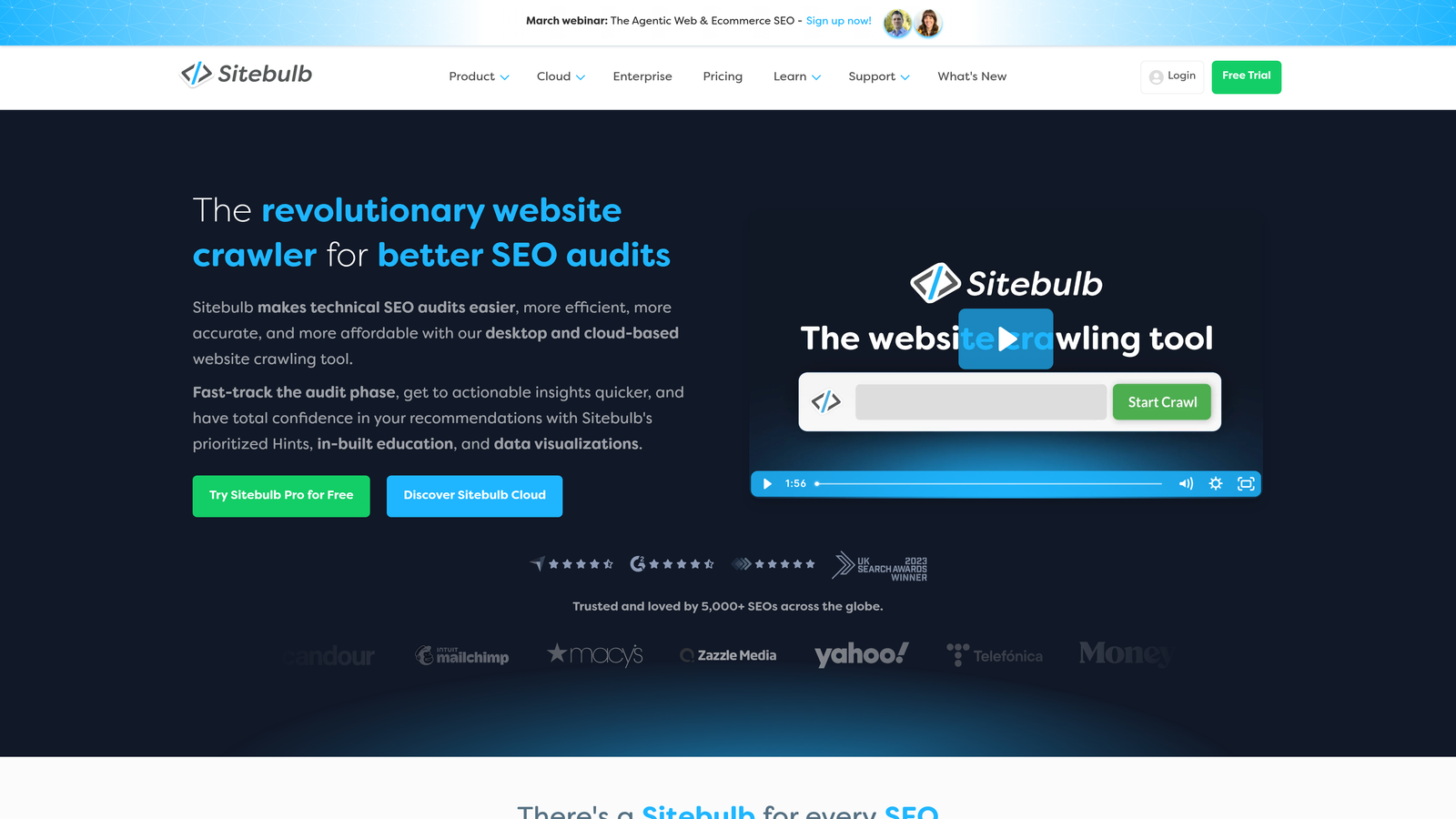
Sitebulb is a crawler for agencies that combines sitemap generation with detailed technical SEO audits.
Where This Tool Shines
Sitebulb does more than generate sitemaps. It helps you understand which URLs deserve to be in them. Its audit flags URLs in existing sitemaps that redirect, return errors, or are noindexed, which are the most common reasons Google reports sitemap issues in Search Console.
Scheduled crawling lets you automate regular audits and sitemap checks. This suits agencies managing multiple client sites that need consistent monitoring and reporting.
Key Features
Audit-Driven Generation: Creates sitemaps based on comprehensive technical SEO analysis.
Sitemap Health Hints: Highlights sitemap URLs that are non-indexable, redirected, or orphaned.
Multiple Export Formats: Output data in various formats for different use cases.
Scheduled Crawling: Automate regular crawls and sitemap updates.
Client Reporting: Generate branded reports showing sitemap health and recommendations.
Best For
SEO agencies managing multiple client sites, consultants providing technical audits, and in-house teams that need sitemap generation as part of broader technical SEO monitoring.
Pricing
The Lite plan starts at around $13.50 per month. Professional and agency plans offer additional features.
8. Dynomapper
Best for: Enterprise teams needing visual sitemaps with analytics integration and content governance.
Dynomapper is an enterprise visual sitemap generator with content inventory management and Google Analytics integration.

Where This Tool Shines
Dynomapper combines visual sitemap generation with an analytics overlay. You can see which pages get traffic directly on your sitemap diagram, which makes it easy to separate high-value pages from dead weight.
Its content inventory features help large organizations maintain governance over sprawling websites. You can track content ownership, review schedules, and accessibility compliance within the sitemap interface.
Key Features
Visual Sitemap with Analytics: See traffic data overlaid on your site structure diagram.
Content Inventory Management: Track content ownership, status, and review schedules.
Accessibility Checking: Identify accessibility issues across your site structure.
Team Workflow Tools: Assign tasks and manage content updates collaboratively.
XML Export: Generate technical sitemaps from the visual map.
Best For
Enterprise organizations, universities, and large agencies managing complex sites with many stakeholders who need content governance alongside sitemap management.
Pricing
Plans start at around $49 per month, with enterprise options for larger organizations.
9. A1 Sitemap Generator
Best for: Users who prefer desktop software with one-time purchase pricing instead of subscriptions.
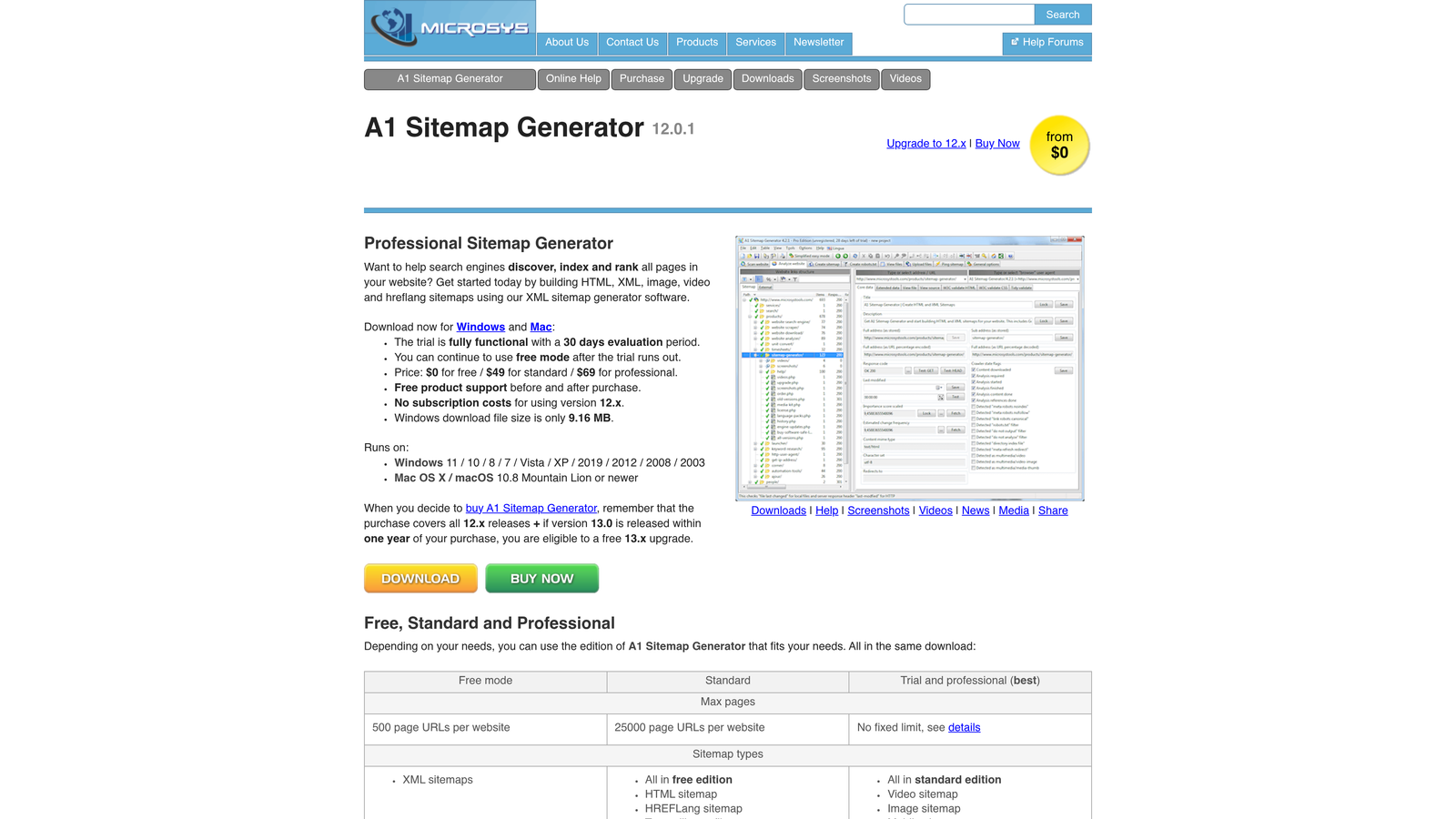
A1 Sitemap Generator is a desktop application for bulk sitemap creation with one-time purchase pricing.
Where This Tool Shines
A1 Sitemap Generator appeals to users tired of subscriptions. You pay once, own the software, and generate unlimited sitemaps. Scheduled generation automates updates, and FTP upload pushes sitemaps directly to your server.
The software supports multiple sitemap formats beyond XML, including HTML, RSS, and text versions. This is useful for sites that need different sitemap types for different purposes.
Key Features
Multiple Format Support: Generate XML, HTML, RSS, and text sitemaps from one interface.
Scheduled Generation: Set up automatic sitemap updates on your preferred schedule.
FTP Upload Capability: Automatically upload generated sitemaps to your server.
No Recurring Fees: One-time purchase with a lifetime license.
Bulk Processing: Generate sitemaps for multiple sites from a single interface.
Best For
Freelancers and agencies managing multiple client sites who prefer one-time software purchases over monthly subscriptions. It is a good fit for budget-conscious users with long-term sitemap needs.
Pricing
A one-time purchase starts at around $69.95, depending on feature tier.
Making the Right Choice
Your ideal sitemap tool depends on three factors: your publishing volume, your technical comfort level, and whether you need sitemap generation as part of a broader workflow.
Choose Sight AI if you publish AI-optimized content at scale and want automatic indexing tied directly to your content workflow. Its IndexNow integration and workflow automation remove the gap between publishing and search engine notification.
Go with Yoast or Rank Math for WordPress simplicity. Both offer reliable automatic sitemap generation without technical overhead. Rank Math edges ahead if you want IndexNow support in the free tier.
Pick Screaming Frog or Sitebulb for technical audits and large sites. These crawlers give you complete control over sitemap contents and handle enterprise-scale websites. Sitebulb adds scheduled crawling and agency reporting features.
Use XML-Sitemaps.com for quick, free generation on smaller sites. It is ideal when you need a sitemap fast without installing software or managing ongoing automation.
Consider Slickplan or Dynomapper for visual planning and enterprise governance. Slickplan excels during redesigns when you are planning site structure. Dynomapper adds analytics integration and content governance for large organizations.
If you prefer to avoid subscriptions, look at A1 Sitemap Generator for its one-time purchase model and scheduled generation.
Whichever tool you choose, complete the setup in three steps:
- Add a
Sitemap:line to robots.txt. - Submit the sitemap in Google Search Console.
- Check the Pages report periodically for "Submitted URL" errors.
Frequently asked questions
What is the best free sitemap generator for Google?
For WordPress, Rank Math and Yoast SEO are the best free options. Both generate a sitemap index automatically, keep lastmod dates accurate, and exclude noindex pages. For non-WordPress sites under 500 URLs, Screaming Frog's free version or XML-Sitemaps.com will produce a valid file. However, free online generators create a static snapshot, so you must regenerate the file whenever pages change.
Is there an AI sitemap generator?
Yes. Some AI tools draft visual site structures from a prompt, which helps when planning a new site. For live XML sitemaps, AI adds less value than automation does. What matters is that the file updates the moment content publishes. Platforms like Sight AI tie sitemap updates and IndexNow pings to AI content publishing, which is where automation saves the most time.
How do I auto generate a sitemap?
Use a tool that regenerates the sitemap on content changes or on a schedule. On WordPress, install Rank Math or Yoast and the sitemap updates on every publish. On custom sites, use your framework's sitemap module or schedule Screaming Frog or A1 Sitemap Generator exports. Then submit the sitemap URL once in Google Search Console.
Do I still need to ping Google when my sitemap changes?
No. Google deprecated its sitemap ping endpoint in 2023. Instead, Google rereads submitted sitemaps on its own schedule and relies on accurate lastmod values to decide what to recrawl. Submitting through Search Console and referencing the sitemap in robots.txt is enough. IndexNow pings still help with Bing and other participating engines.
What is a free visual sitemap generator?
A visual sitemap generator draws your site's page hierarchy as a diagram rather than an XML file. Slickplan and Dynomapper, covered above, offer free trials. These tools are useful for planning and redesigns, but Google reads XML sitemaps, not diagrams. Export to XML or use a separate generator for search engines.
Sitemaps are foundational, but they are only one part of getting your content discovered. A real competitive advantage comes from understanding how both traditional search engines and AI models talk about your brand.
Start tracking your AI visibility today and see exactly where your brand appears across top AI platforms. Stop guessing how AI models like ChatGPT and Claude reference your content. Get visibility into every mention, track content opportunities, and automate your path to organic traffic growth.