Publishing content manually is a bottleneck that slows down even the most productive marketing teams. Between formatting posts, scheduling across platforms, and ensuring proper indexing, the administrative overhead can consume hours that should go toward strategy and creation. Automatic content publishing tools eliminate this friction by connecting your content workflow directly to your CMS, social channels, and search engines.
This guide evaluates top tools that handle everything from one-click WordPress publishing to instant IndexNow submissions. We selected these based on integration depth, automation capabilities, ease of setup, and value for marketing teams scaling their content operations.
1. Sight AI
Best for: Teams creating AI content that needs immediate indexing and AI visibility tracking
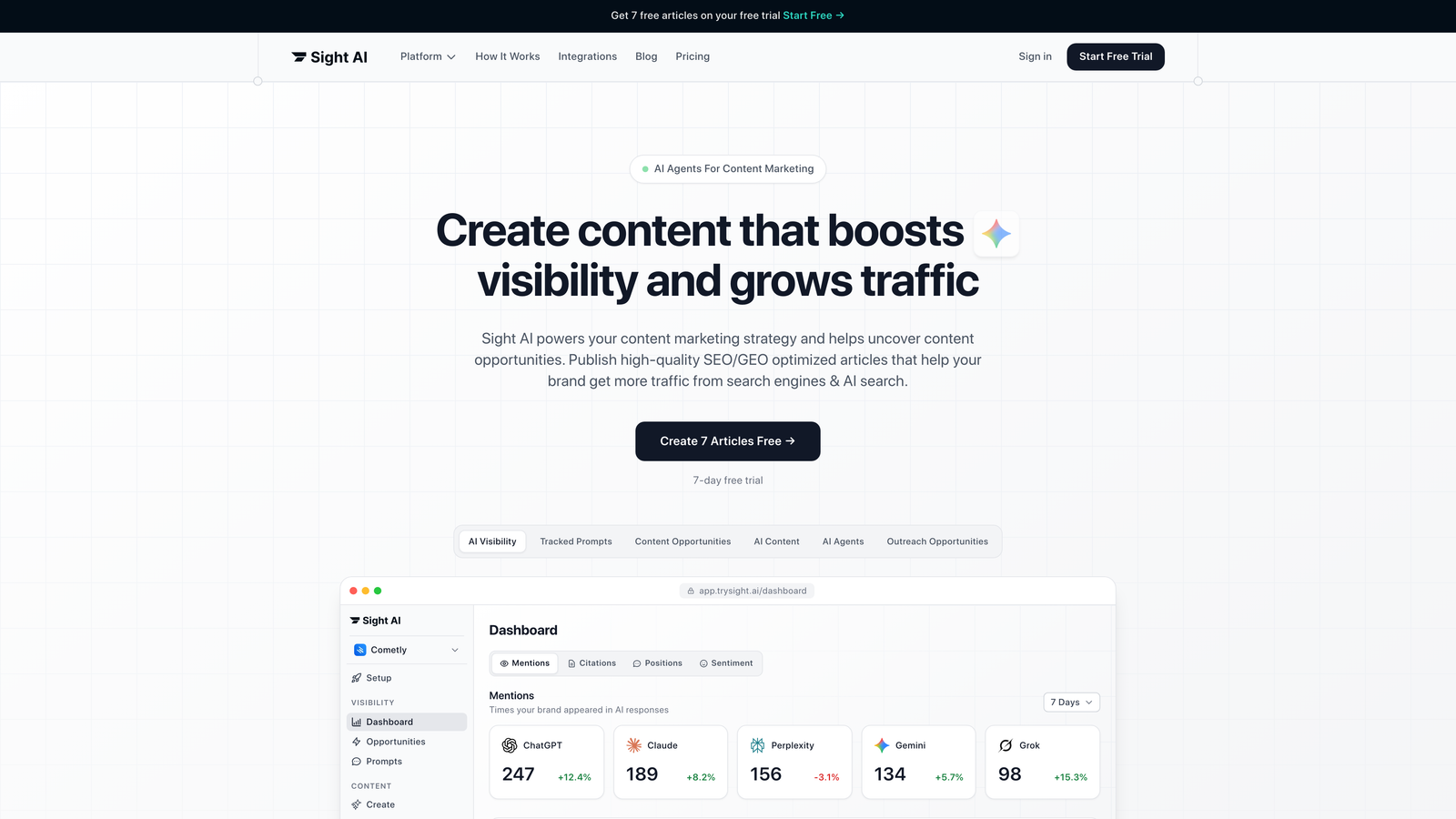
Sight AI combines AI content generation with automatic publishing and instant search engine indexing in one platform.
Where This Tool Shines
Sight AI addresses the complete content lifecycle rather than just the publishing step. The platform uses 13+ specialized AI agents to generate SEO and GEO-optimized articles across multiple formats, then automatically pushes finished content directly to WordPress.
What sets it apart is the integrated IndexNow submission. The moment your content publishes, Sight AI notifies search engines through IndexNow protocol, accelerating discovery compared to waiting for traditional crawls. This matters for time-sensitive content or competitive keywords where early indexing creates an advantage.
Key Features
13+ Specialized AI Agents: Different agents handle listicles, guides, explainers, and other content types with format-specific optimization.
WordPress Auto-Publishing: Direct integration pushes completed articles to your WordPress site without manual export/import steps.
Instant IndexNow Integration: Automatic submission to search engines the moment content goes live, reducing indexing lag.
AI Visibility Tracking: Monitor how AI models like ChatGPT, Claude, and Perplexity mention your brand across queries.
Automatic Sitemap Updates: Your XML sitemap refreshes automatically when new content publishes, keeping search engines informed.
Best For
Marketing teams producing high volumes of SEO content who want to compress the time between ideation and live publication. Particularly valuable for brands tracking their presence in AI search results and needing content that performs in both traditional and generative search environments.
Pricing
Visit the pricing page for current plan details and feature tiers.
2. WP Scheduled Posts
Best for: WordPress users needing visual calendar scheduling with social auto-sharing
WP Scheduled Posts is a WordPress plugin that adds visual scheduling and missed schedule protection directly to your dashboard.

Where This Tool Shines
This plugin solves a persistent WordPress problem: missed schedules. Standard WordPress scheduling sometimes fails due to low traffic or server cron issues, leaving posts stuck in draft status. WP Scheduled Posts includes a missed schedule handler that catches and publishes these orphaned posts automatically.
The drag-and-drop editorial calendar gives you a month-view of your publishing pipeline. You can reschedule posts by dragging them to new dates, making it easy to adjust your content calendar when priorities shift or breaking news demands schedule changes.
Key Features
Visual Editorial Calendar: Drag-and-drop interface shows your entire publishing schedule in month, week, or list view.
Missed Schedule Handler: Automatically detects and publishes posts that failed to go live at their scheduled time.
Social Auto-Sharing: Publish simultaneously to Facebook, Twitter, and LinkedIn when posts go live.
Bulk Scheduling: Schedule multiple posts at once rather than configuring each individually.
Best For
WordPress-focused publishers who need reliable scheduling without leaving their CMS. Works well for blogs, news sites, and content teams already managing everything inside WordPress rather than external platforms.
Pricing
Free version available with core features. Pro version starts at $49 per year with advanced scheduling options and priority support.
3. Zapier
Best for: Custom workflows connecting any content tool to any publishing platform
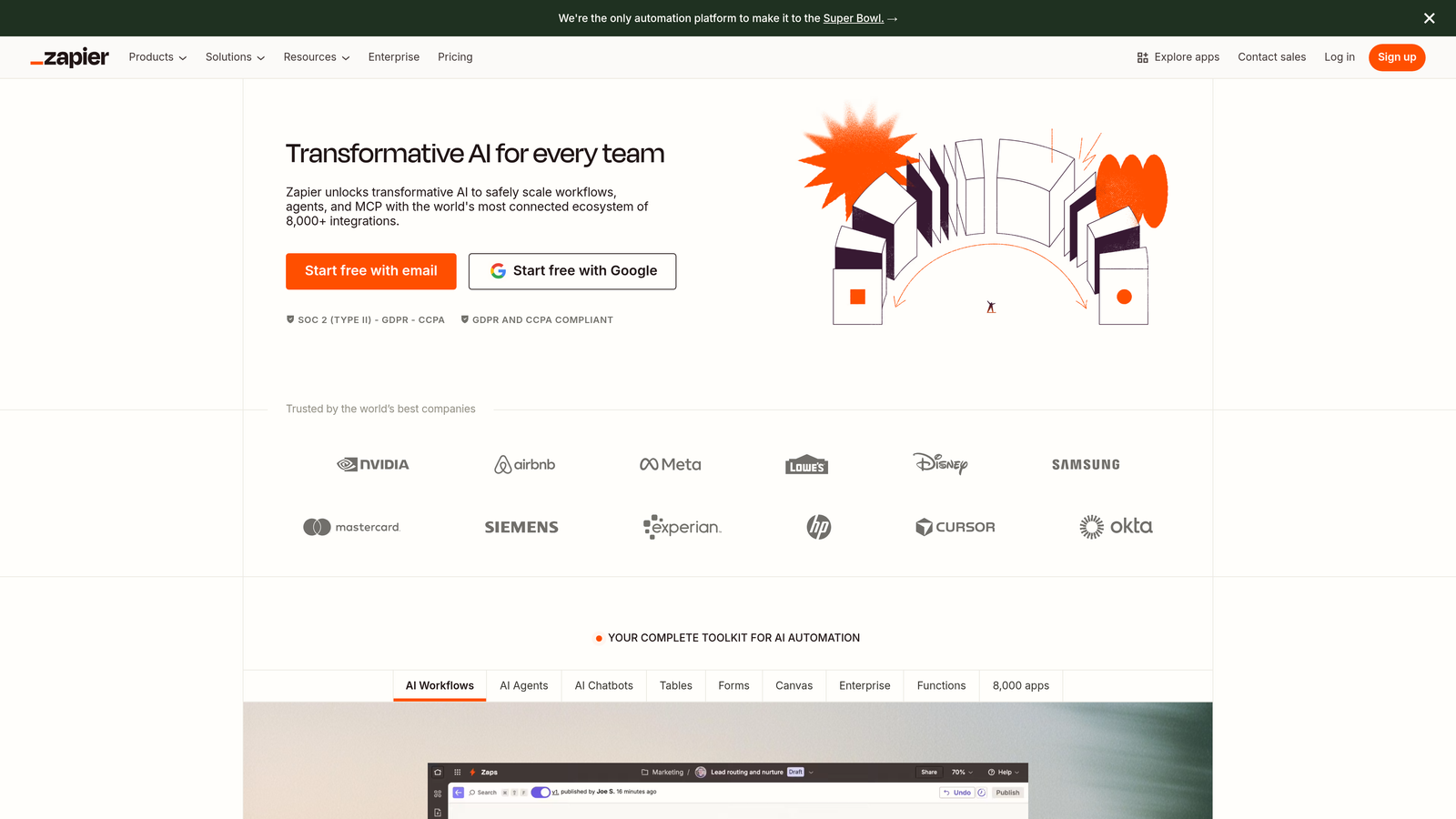
Zapier is an automation platform that connects over 6,000 apps to create custom publishing workflows without code.
Where This Tool Shines
Zapier's strength is flexibility. Unlike tools built for specific platforms, Zapier lets you connect whatever content source you use to whatever publishing destination you need. Write in Google Docs, store in Airtable, publish to WordPress, share on social, and notify your team in Slack—all triggered automatically.
Multi-step Zaps handle complex workflows. You might trigger when a row updates in a spreadsheet, format the content, check for required fields, publish to your CMS, then post to three social platforms. Conditional logic means different content types can follow different publishing paths based on tags, categories, or custom fields.
Key Features
6,000+ App Integrations: Connect virtually any content tool to any publishing platform through pre-built integrations.
Multi-Step Workflows: Chain multiple actions together so one trigger executes an entire publishing sequence.
Conditional Logic: Route content down different paths based on tags, categories, or field values.
Filters and Formatters: Transform data between steps to match what your publishing platform expects.
Best For
Teams with unique tech stacks or complex workflows that off-the-shelf publishing tools don't accommodate. Particularly valuable when you're connecting niche tools or need custom logic that standard integrations don't provide.
Pricing
Free tier includes 100 tasks per month. Starter plan begins at $19.99 monthly with 750 tasks. Professional and higher tiers add advanced features and higher task limits.
4. Buffer
Best for: Queue-based social media scheduling with AI caption optimization
Buffer is a social media scheduling platform that uses queue-based publishing and AI-powered caption suggestions.

Where This Tool Shines
Buffer's queue system removes the tedious work of choosing specific publish times. You define your posting schedule once—say, weekdays at 9am, 1pm, and 5pm—then add content to your queue. Buffer automatically slots posts into the next available time slot, maintaining consistent publishing without manual scheduling.
The AI Assistant analyzes your content and suggests caption improvements, hashtags, and optimal posting times based on when your audience engages most. This helps maintain quality even when you're batch-scheduling content days or weeks in advance.
Key Features
Queue-Based Scheduling: Set your posting times once, then add content that automatically fills the next available slot.
AI Caption Assistant: Get suggestions for improving captions, selecting hashtags, and optimizing post timing.
Engagement Analytics: Track which posts perform best and identify optimal posting patterns for your audience.
Browser Extension: Share content directly from any webpage without switching to the Buffer dashboard.
Best For
Social media managers handling multiple accounts who want to maintain consistent posting without micromanaging every publish time. Works well for agencies managing client accounts or brands with active social presences across several platforms.
Pricing
Free tier supports three social channels. Essentials plan starts at $6 per month per channel with increased post limits and analytics.
5. CoSchedule
Best for: Unified marketing calendar combining blog, social, and email publishing
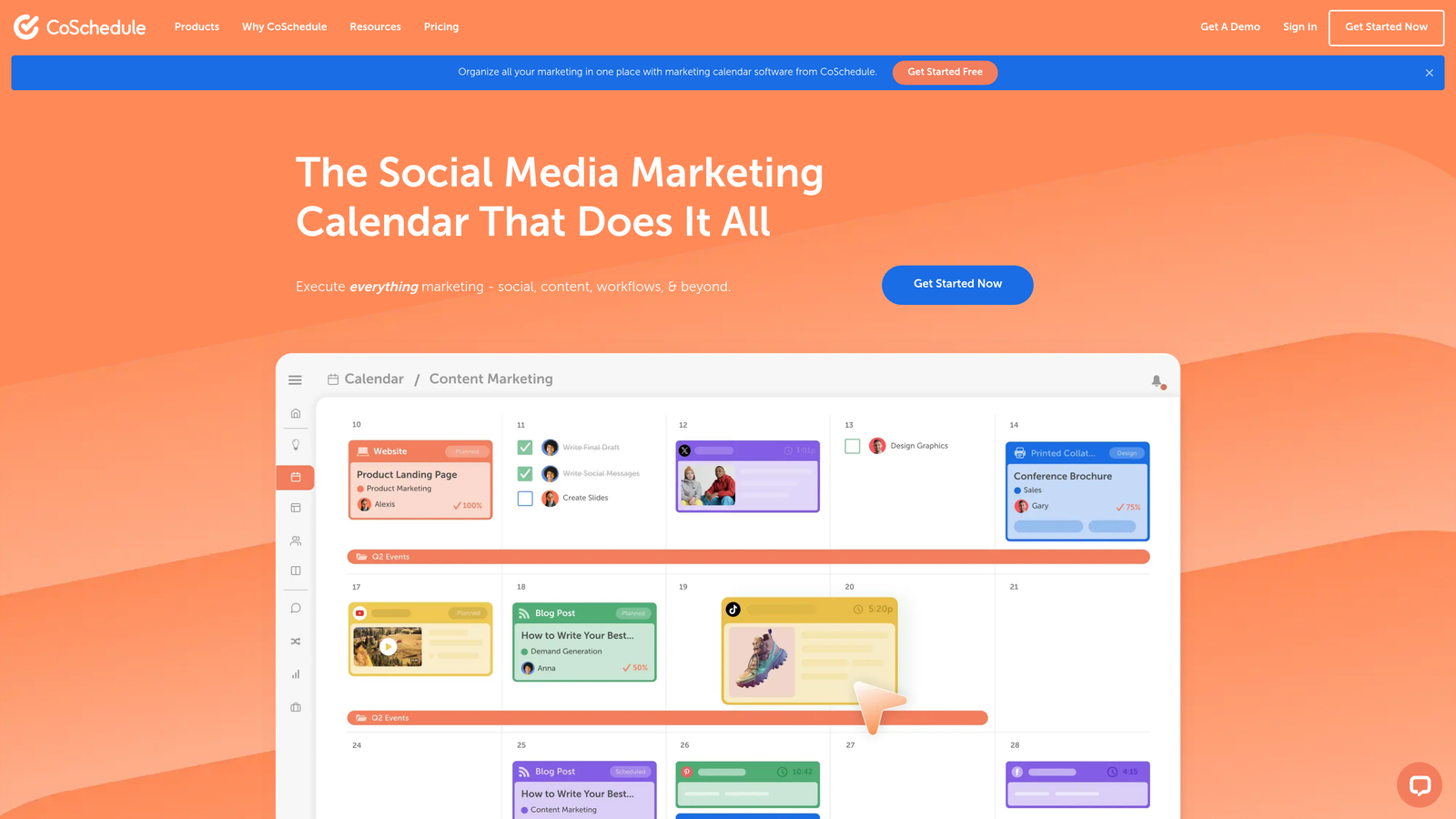
CoSchedule is a marketing calendar platform that centralizes all your publishing activities in one visual timeline.
Where This Tool Shines
CoSchedule treats your entire marketing operation as one coordinated calendar. Blog posts, social updates, email campaigns, and marketing events all appear on the same timeline, making it easier to spot conflicts or gaps in your publishing schedule.
The ReQueue feature automatically recycles evergreen content at optimal times. You designate which posts qualify for republishing, set rules for how often they can reappear, and ReQueue handles the scheduling. This keeps your social feeds active without requiring constant new content creation.
Key Features
Unified Marketing Calendar: See blog posts, social updates, email campaigns, and events on one timeline.
ReQueue Automation: Automatically republish evergreen content at optimal times to fill scheduling gaps.
WordPress Integration: Create and schedule blog posts directly from CoSchedule without switching to your CMS.
Team Workflows: Built-in approval processes and task assignments for collaborative content teams.
Best For
Marketing teams coordinating multiple channels who need visibility into how blog content, social campaigns, and email sends align. Particularly useful for content operations where timing matters—product launches, seasonal campaigns, or coordinated announcements.
Pricing
Marketing Calendar plan starts at $29 per month for basic scheduling. Marketing Suite with advanced features requires custom pricing based on team size and needs.
6. Contentful
Best for: Headless CMS architecture with API-first publishing to custom front-ends
Contentful is a headless CMS that separates content management from presentation, publishing via API to any front-end.

Where This Tool Shines
Contentful excels when you're publishing to multiple destinations or custom applications. Traditional CMSs couple content with specific templates and front-ends. Contentful stores structured content that you can deliver to websites, mobile apps, digital signage, or any platform via REST or GraphQL APIs.
Webhooks trigger automated workflows when content changes. Publish a post in Contentful, and webhooks can notify your build system to regenerate your static site, clear CDN caches, send notifications to your team, or trigger any custom automation your development team creates.
Key Features
API-First Architecture: Access content via REST or GraphQL APIs for delivery to any platform or device.
Webhook Automation: Trigger builds, deployments, or custom workflows automatically when content publishes or updates.
Structured Content Models: Define reusable content types with specific fields that enforce consistency across your content.
Multi-Environment Publishing: Maintain separate development, staging, and production environments for safe content testing.
Best For
Development teams building custom front-ends, multi-platform experiences, or applications where content needs to appear across websites, mobile apps, and other digital touchpoints. Requires technical expertise to implement but offers maximum flexibility.
Pricing
Free tier supports up to five users and basic features. Team plan starts at $489 per month with expanded limits and production-level support.
7. HubSpot CMS
Best for: Integrated marketing platform with smart content personalization and SEO tools
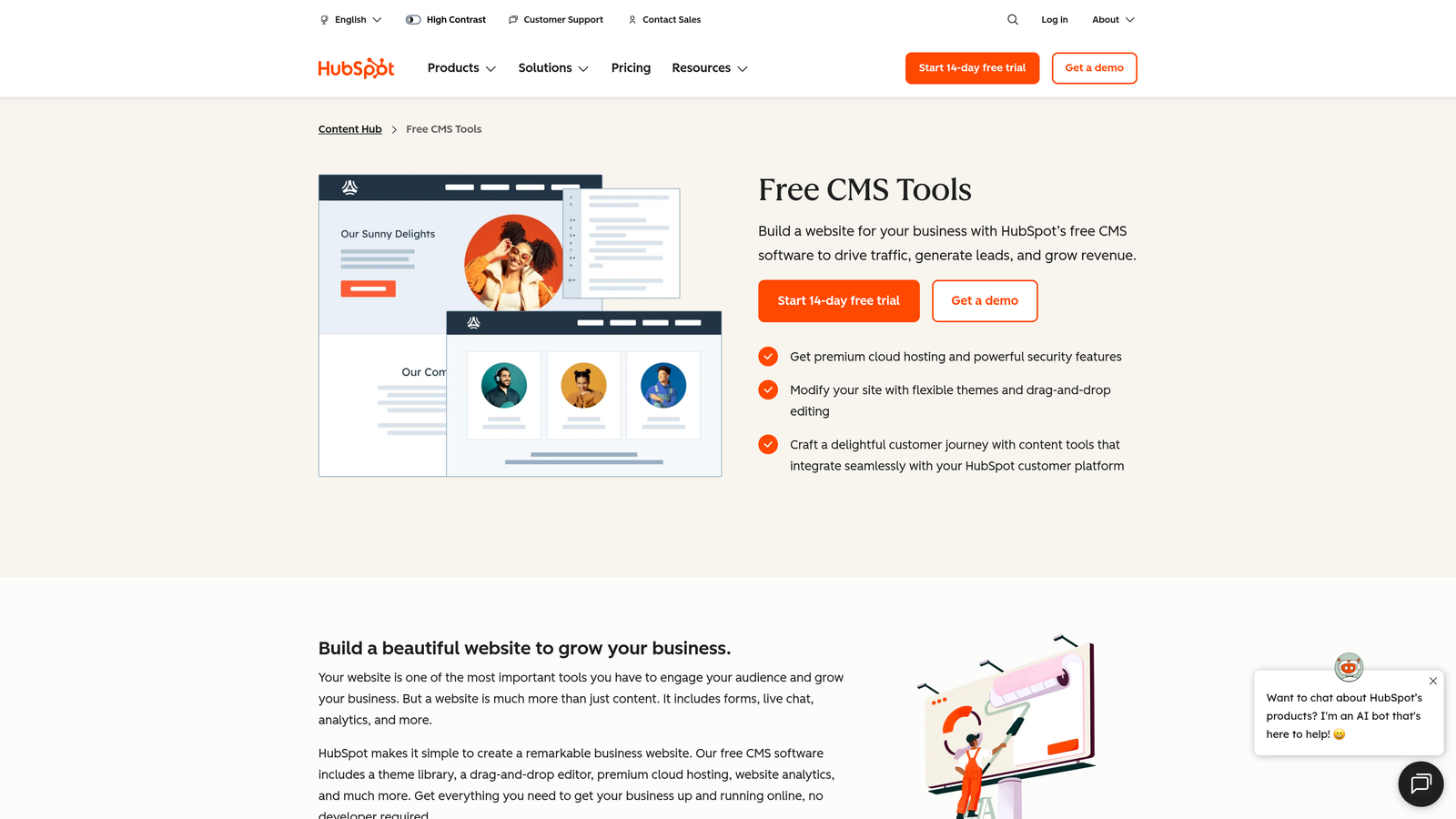
HubSpot CMS is a content management system built into HubSpot's marketing automation platform.
Where This Tool Shines
HubSpot CMS connects directly to your marketing database, enabling smart content that adapts based on who's viewing it. Show different headlines, CTAs, or entire page sections depending on visitor lifecycle stage, industry, or previous interactions with your brand.
The built-in SEO recommendations analyze your content as you write, suggesting improvements for title tags, meta descriptions, header structure, and internal linking. This guidance happens inside the editor rather than requiring separate SEO tools or post-publication audits.
Key Features
Smart Content Rules: Personalize published content dynamically based on visitor attributes and behavior.
Built-In SEO Tools: Get real-time recommendations for optimizing content as you create it.
A/B Testing: Test different versions of published pages to identify which content drives better results.
Marketing Automation Integration: Trigger email sequences, workflows, or lead scoring based on content publication or engagement.
Best For
Companies already using HubSpot for marketing automation who want tight integration between content publishing and lead nurturing. Makes sense when personalization and marketing automation matter as much as the publishing itself.
Pricing
Starter plan begins at $25 per month with basic features. Professional plan starts at $400 monthly with advanced personalization and automation capabilities.
8. Publer
Best for: Bulk social scheduling with CSV import and multi-brand workspace management
Publer is a bulk scheduling platform designed for agencies and teams managing multiple brands or client accounts.

Where This Tool Shines
Publer's CSV bulk upload lets you schedule hundreds of posts at once. Prepare your content calendar in a spreadsheet with columns for post text, images, links, publish times, and platforms, then upload the entire file. Publer processes the CSV and schedules everything automatically.
The workspace system keeps different brands or clients completely separated. Each workspace has its own connected accounts, content library, and team members. Agencies can manage dozens of client accounts without content bleeding between projects or team members seeing accounts they shouldn't access.
Key Features
CSV Bulk Upload: Schedule hundreds of posts simultaneously by uploading a spreadsheet with your content calendar.
Auto-Schedule Optimization: Let Publer analyze your audience and automatically choose optimal posting times.
Multi-Brand Workspaces: Separate environments for different clients or brands with isolated content and team access.
Watermark Automation: Automatically add logos or signatures to images as they publish.
Best For
Agencies managing multiple client accounts or brands operating several distinct social presences. The bulk scheduling capabilities shine when you're planning content weeks or months in advance across numerous accounts.
Pricing
Free tier supports three social accounts. Professional plan starts at $12 per month with increased account limits and advanced scheduling features.
9. IFTTT
Best for: Simple trigger-action automation for RSS syndication and basic cross-platform publishing
IFTTT is an automation service using straightforward if-this-then-that logic to connect apps and devices.
Where This Tool Shines
IFTTT works well for simple, single-step automations. The classic use case is RSS-to-social syndication: when your blog publishes a new post (RSS trigger), IFTTT automatically shares it to Twitter, Facebook, or other platforms (action). No complex configuration or multi-step workflows.
Pre-built applets let you activate common automations instantly. Browse the applet library, find "Share new blog posts to Twitter," click activate, and you're done. This simplicity makes IFTTT accessible to non-technical users who need basic publishing automation without learning complex workflow builders.
Key Features
Simple Trigger-Action Logic: Straightforward if-this-then-that automations without complex workflow configuration.
RSS Syndication: Automatically share new blog posts to social platforms when your RSS feed updates.
700+ Service Integrations: Connect publishing tools, social platforms, and productivity apps.
Pre-Built Applets: Activate common automations instantly from the community applet library.
Best For
Users needing basic publishing automation without technical complexity. Works well for personal blogs, small businesses, or anyone who wants simple RSS-to-social syndication without managing complex workflow platforms.
Pricing
Free tier includes two active applets. Pro plan starts at $2.92 per month with unlimited applets and faster execution times.
Making the Right Choice
Selecting the right automatic content publishing tool depends on where your bottlenecks live. For teams generating AI content and needing instant indexing, Sight AI handles creation through publication in one workflow. WordPress publishers benefit from native plugins like WP Scheduled Posts for reliable scheduling without leaving their CMS.
Complex multi-tool workflows call for Zapier's flexibility when you're connecting unique tech stacks. Social-focused teams should evaluate Buffer or Publer based on scale—Buffer for straightforward queue management, Publer when you're handling bulk scheduling across multiple brands. Enterprise operations with custom front-ends often require Contentful's headless approach.
HubSpot makes sense when personalization and marketing automation matter as much as publishing itself. CoSchedule suits teams coordinating multiple channels who need unified visibility. IFTTT works for simple RSS syndication when you don't need complex workflows.
Start by mapping your current publishing friction points. Are you spending hours formatting and uploading content? Do posts fail to index quickly enough? Are you managing too many client accounts manually? Match these specific workflow gaps to the tool that addresses them directly.
The publishing landscape is shifting toward AI-generated content that needs immediate distribution. Tools that compress the time between creation and live publication create competitive advantages in fast-moving markets. Start tracking your AI visibility today and see exactly where your brand appears across top AI platforms while automating your path to organic traffic growth.